12 Initialization and forced shutdown operations
This chapter describes how to initialize and force-shut down this product.
12-1 Initialization
This operation will delete all setting information on this product and return it to its factory settings.
*This operation cannot be undone. Please consider carefully before proceeding.
Follow the steps below to initialize this product.
This operation can be performed from LiveShell Studio or this product itself.
Using LiveShell Studio
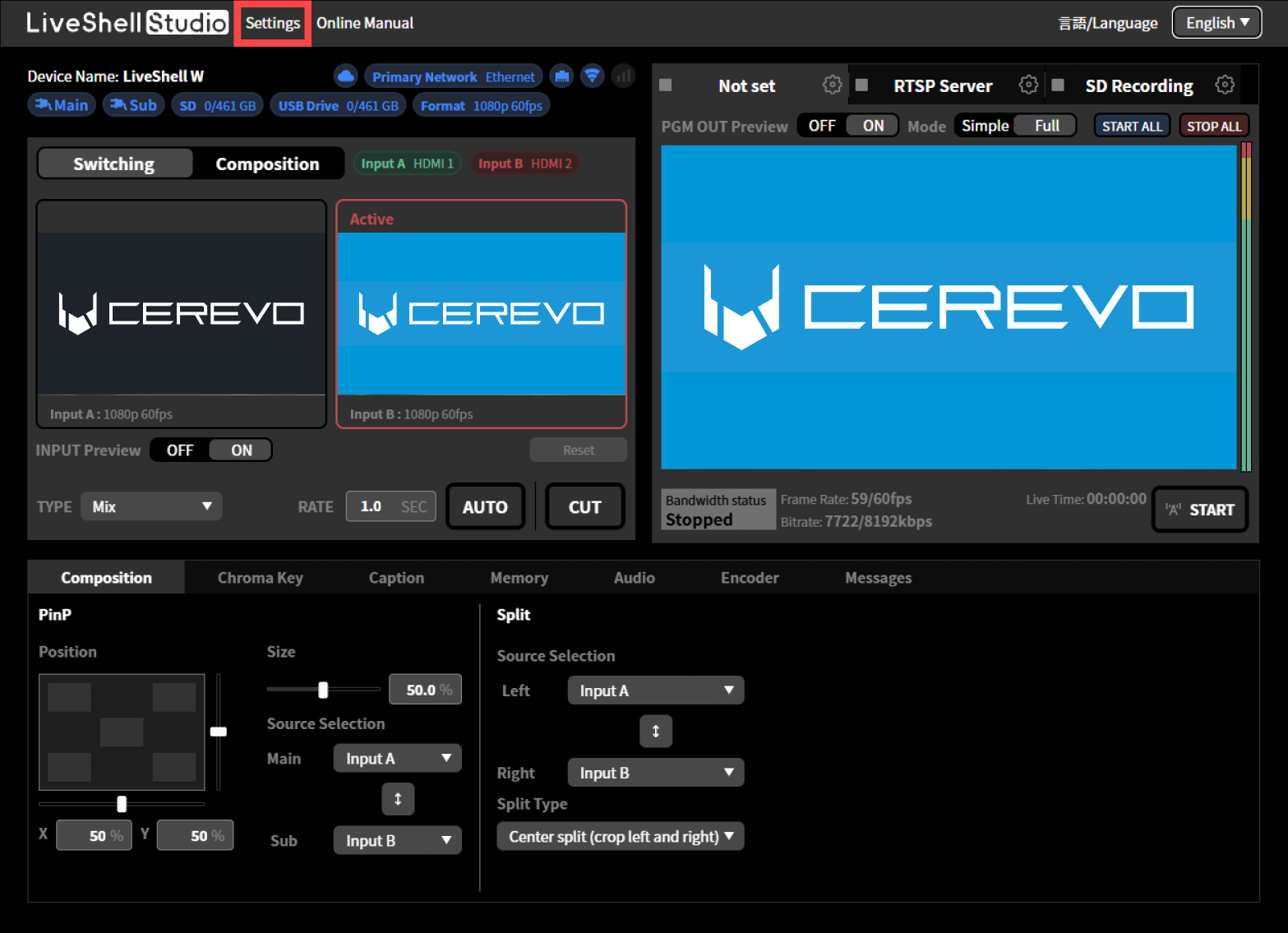
“Settings” on the top screen.
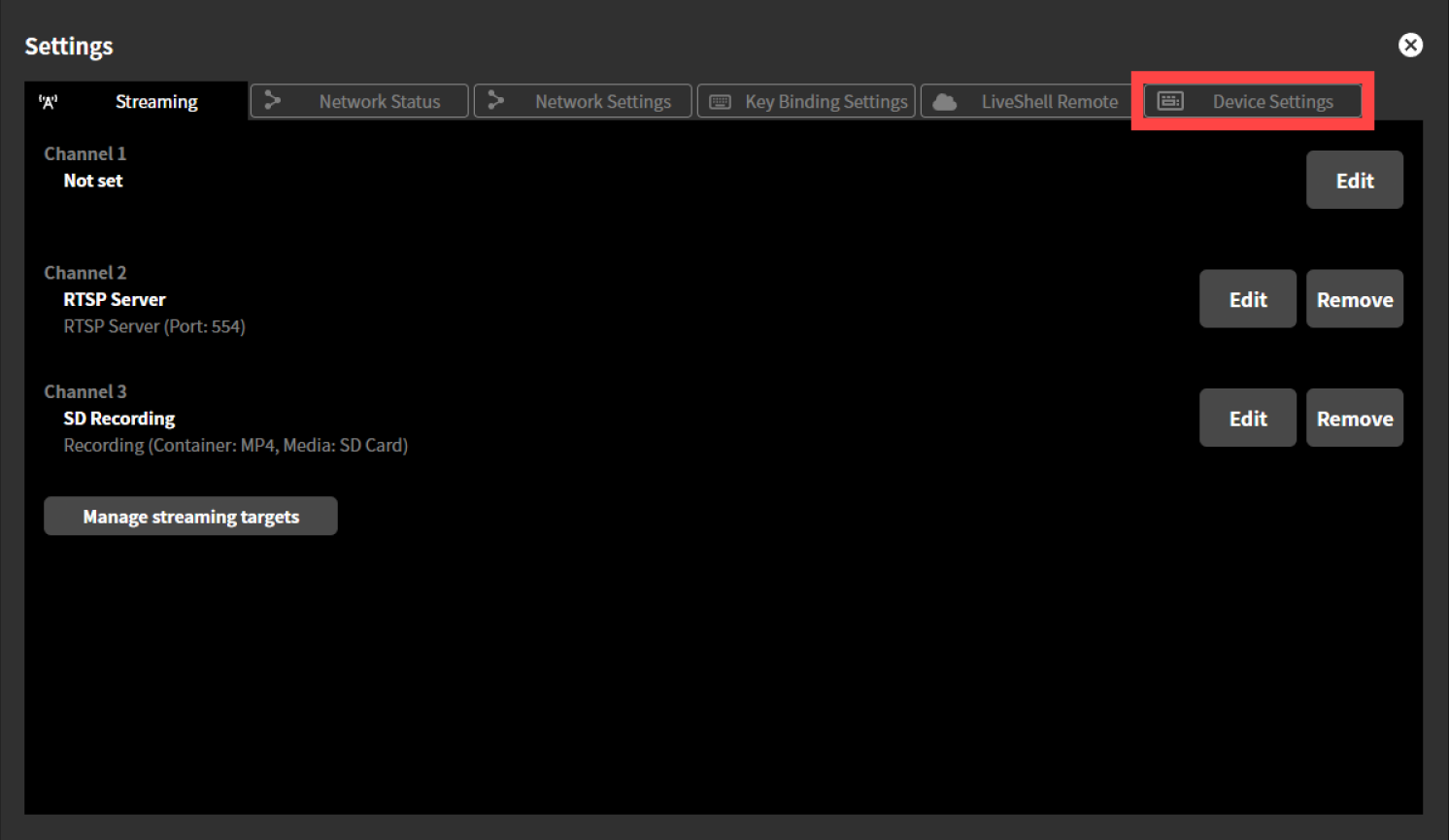
Click the “Device Settings” tab at the top of the “Settings” screen.
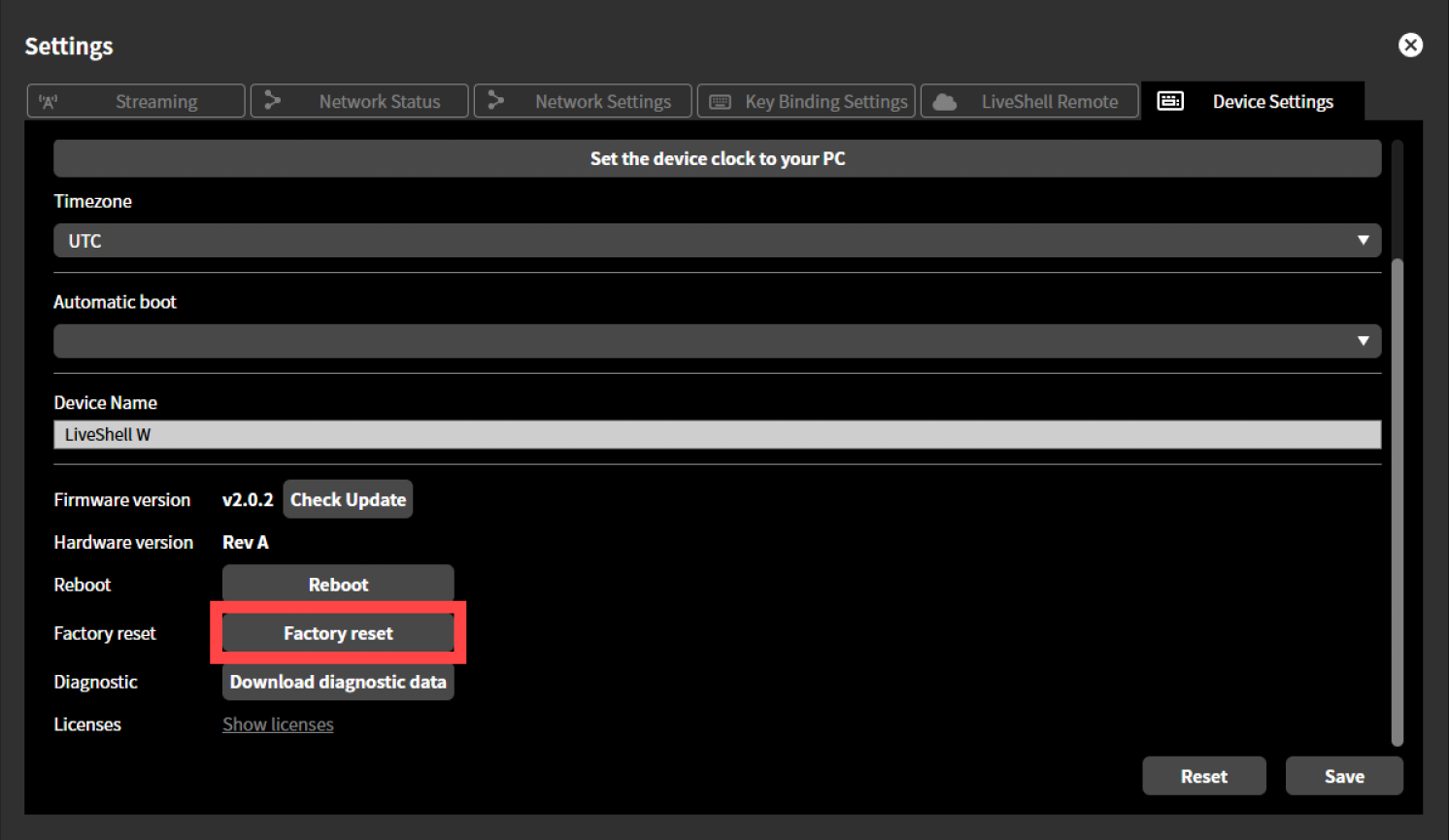
Click “Factory Reset” button.
Click the “OK” button in the displayed dialog to perform initialization.
Setting on the unit
Push the control dial. This will display the “MAIN MENU”.
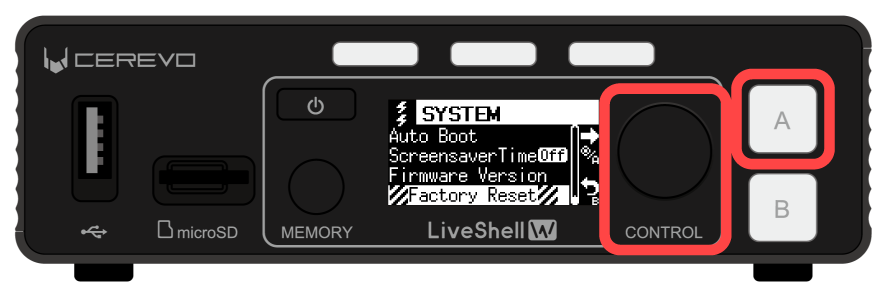
Turn the control dial to select “System” and push the switch button A.
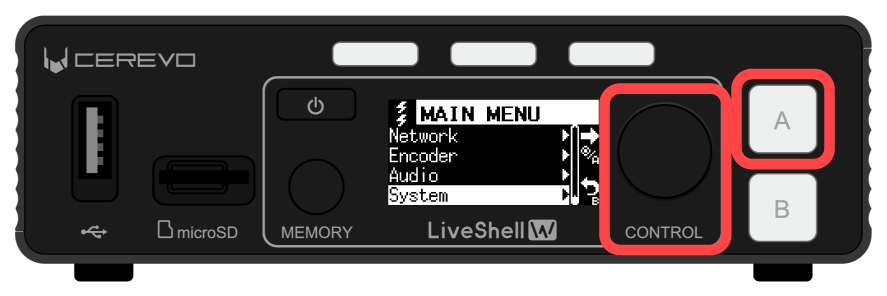
Turn the control dial to select “Factory Reset” and push the switch button A.
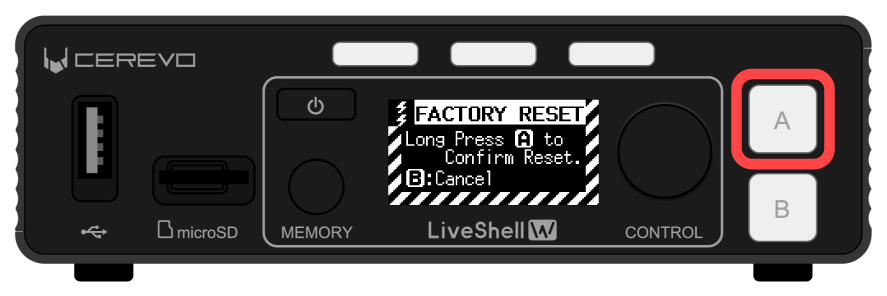
While “FACTORY RESET” is on the OLED screen, push and hold the switch button A for about 2 seconds until “Resetting…” appears on the OLED screen to perform initialization.
12-2 Forced shutdown
This is a forced shutdown operation to be performed when this product becomes unresponsive or other problems occur.
* Performing a forced shutdown may damage or lose data stored on this product, such as settings data and caption images.
To force shutdown, either remove the USB Type-C cable from this product, or push and hold the power button for 10 seconds or more.